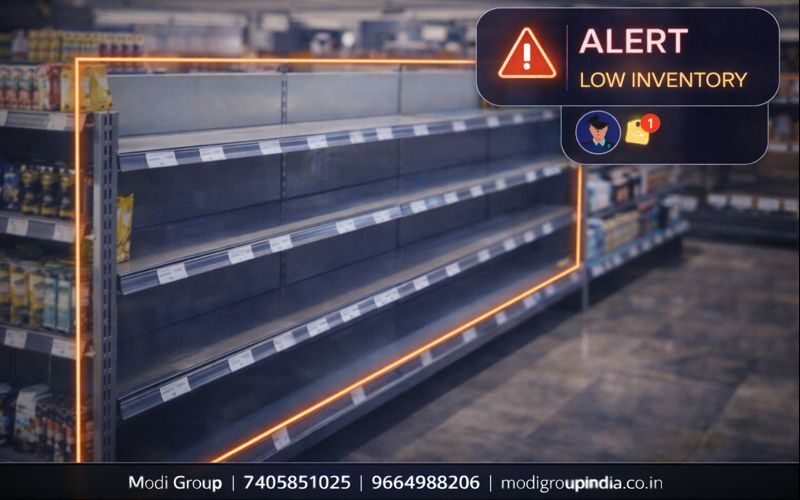
Shelf खाली हो—तो तुरंत Refill Alert मिले
Retail में एक सबसे बड़ी समस्या होती है—product shelf पर खत्म हो गया, और staff को पता ही नहीं चला। ग्राहक आया, shelf खाली देखी, और बिना खरीदे चला गया। Shelf Empty Detection का काम यही है—camera की video से shelf पर stock कम/खाली होने का संकेत पकड़ना और तुरंत Alert भेजना, ताकि staff समय पर refill कर दे और sales loss बच जाए।
अर्थ, काम करने का तरीका, उदाहरण, फायदे, कहाँ उपयोगी, सही setup, गलत alert कम करने के तरीके और FAQ।
विषय सूची
Retail में “shelf empty” का मतलब अक्सर “सीधी sales loss” होता है। समय पर alert = सीधा फायदा।
अर्थ: Shelf Empty Detection क्या है?
Shelf Empty Detection का मतलब है— shelf पर product कम हो जाए या खाली हो जाए, तो AI CCTV उसे पहचानकर staff को Alert दे।
यह कैसे काम करता है (सरल तरीका)
- 1) Shelf Zone चुनना: camera view में shelf वाला हिस्सा select किया जाता है
- 2) Reference सेट: “भरी हुई shelf” की normal स्थिति को baseline मानते हैं
- 3) बदलाव पकड़ना: product कम/खाली होने का pattern detect होता है
- 4) Threshold: कितनी खाली होने पर alert आए—यह सीमा तय होती है
- 5) Alert: staff/manager को message + camera/aisle detail
यह feature “क्यों” जरूरी है?
staff busy रहता है, customer भीड़ रहती है, और कई बार shelf खाली होना देर से पता चलता है। यह feature लगातार निगरानी करके समय पर सूचना देता है।
- out-of-stock जल्दी पकड़ता है
- high selling item की availability बनी रहती है
- स्टोर की image बेहतर होती है
असली उदाहरण
मान लीजिए आपके supermarket में दूध (milk) की shelf सबसे ज्यादा चलती है। शाम को rush में shelf खाली हो जाती है।
- AI CCTV ने shelf zone में “empty” संकेत देखा
- staff को alert मिला: “Dairy section shelf refill करें”
- 2–3 मिनट में refill हो गया
- customer को product मिल गया—sales बच गई
मुख्य फायदे
- sales loss कम: customer को product समय पर मिले
- staff efficiency: किस shelf पर refill चाहिए—यह साफ पता
- customer satisfaction: बार-बार “stock नहीं है” सुनना कम
- priority तय: कौन सा item सबसे जल्दी खत्म होता है
- बेहतर control: store operations ज्यादा व्यवस्थित
कहाँ सबसे ज्यादा उपयोगी है
- Supermarket (dairy, beverages, snacks, FMCG)
- Pharmacy (high demand items)
- Electronics store (display shelves)
- Department store (fast moving sections)
सही setup कैसे रखें (ताकि alert सही आए)
- Camera angle: shelf के सामने से, stable view
- Lighting: glare/reflective glass से बचें, image clear रखें
- Zone सही: केवल shelf हिस्सा select करें, aisle crowd को zone में न लें
- Threshold practical: “30% खाली” या “पूरा खाली” जैसी सीमा तय करें
- Section wise: अलग shelf के लिए अलग rule रखना बेहतर
झूठे Alert (false alert) कम कैसे करें
- Customer blocking: crowd से shelf ढकती है, इसलिए zone shelf के “front edge” पर रखें
- Poster/standee: promotion boards shelf के सामने न लगाएँ
- Shadow: तेज रोशनी/छाया वाले हिस्से में camera position बदलें
- Calibration: 2–3 दिन observation के बाद threshold fine-tune करें
Alert किस तरह मिलता है
Alert का मकसद है—staff को तुरंत पता चले कि कौन सी shelf और कौन सा section refill करना है।
- WhatsApp: section/aisle के साथ message (सेटिंग अनुसार)
- Mobile App: notification + live view
- Store dashboard: list में “Refill pending” दिखे
FAQ (सामान्य प्रश्न)
क्या यह feature हर shelf पर सही चलेगा?
जिस shelf का view clear है और lighting stable है, वहाँ result अच्छा आता है। glass reflection और crowd blocking को सही setup से कम किया जा सकता है।
क्या यह inventory software का replacement है?
नहीं। यह inventory का replacement नहीं, बल्कि ground reality का live संकेत देता है—यानि shelf पर product “दिख रहा है या नहीं”।
Demo कैसे बुक करें?
WhatsApp या कॉल करके demo बुक करें। आपकी store layout के अनुसार zone और threshold सेट करके दिखाया जाएगा।