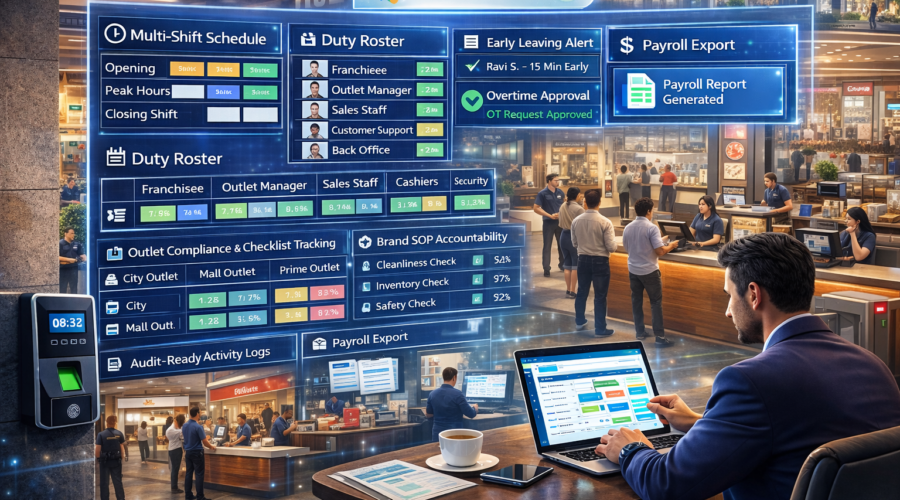
Franchise Businesses – Staff Attendance + Multi-Shift + Franchisee/Outlet Managers/Sales Staff/Cashiers/Customer Support/Back Office Role Mapping + Late/Early Rules + OT Approval + Outlet-wise Compliance & Checklist Tracking + Brand SOP Accountability + Audit-Ready Logs + Payroll Export Automation | Modi Group ✅
Franchise business me attendance sirf HR nahi — brand SOP compliance, outlet opening discipline, counter coverage, customer experience aur multi-location control sab role mapping + checklist accountability se linked hota hai. Agar multi-shift + outlet-wise compliance tracking + audit logs strong nahi hoga toh brand inconsistency, customer complaints, revenue leakage aur payroll disputes create hote hain.
1) Requirements — Franchise Business Setup
A) Roles (Brand HO + Outlets)
- Franchisee / Owner (outlet performance + compliance)
- Outlet Manager (opening/closing + approvals)
- Sales Staff / Floor Executive (conversion + customer handling)
- Cashier (billing + settlement)
- Customer Support (complaints + follow-ups)
- Storekeeper / Inventory (stock discipline)
- Housekeeping (hygiene + cleanliness)
- Back Office / Accounts (payroll export)
- Brand Area Manager / Auditor (SOP audits + inspections)
B) Shift Inputs (Outlet Practical)
- Opening Shift (store ready + SOP checks)
- Regular Shift (business hours)
- Peak Shift (weekend/season sale)
- Closing Shift (cash closing + checklist)
- Event/Promo Shift (campaign OT)
C) Policies (Brand Control + Proof)
- Grace time (example: 5–10 min)
- Late/Early rules (opening strict)
- Half-day (example: <50% shift)
- OT slab (30 min rounding)
- OT approval (Manager → Franchisee/HO)
- Outlet-wise compliance (SOP checklist tracking)
- Audit log (edits + approvals record)
D) Device + Network Requirements
- Face Attendance / Biometric (anti-proxy + fast punch)
- LAN/WiFi internet (cloud dashboard)
- UPS backup (no downtime)
- Admin PC/Laptop (reports + payroll export)
2) Use Cases (Franchise Real Scenarios)
1) Outlet Opening Discipline
Customers wait na kare: opening punch-in + SOP checklist proof.
2) Peak Hour Counter Coverage
Queue reduce: shift roster + counter coverage tracking.
3) Brand SOP Compliance
Consistency: outlet-wise compliance score + audit logs.
4) Area Manager Audits
Control: multi-outlet dashboard + exceptions list.
5) Promo/Event OT Control
Campaigns me approved OT only payroll me add.
3) Common Problems (Franchise Businesses)
- Late outlet opening → lost sales
- SOP inconsistency → brand reputation damage
- Counter understaffing → customer complaints
- Unapproved OT → payroll disputes
- Audit trail missing → compliance issues
- Multi-outlet visibility missing → weak control
4) Franchise Workflow Mapping
Opening
- Manager + key staff punch-in
- Opening checklist (SOP) completion
- Counter/service coverage confirmation
During Business Hours
- Shift-wise coverage monitoring
- Break rotation with minimum counter coverage
- Exceptions (late/absent) alerts to owner/area manager
Closing
- Punch-out discipline
- Closing checklist (cash, hygiene, stock lock)
- OT auto calculation + approval
- Payroll export + audit-ready logs
5) Software Features (Must-Have)
- Role-based attendance (manager/sales/cashier/support/housekeeping)
- Multi-outlet mapping (chain view)
- Multi-shift roster (opening/peak/closing)
- Late/Early rules with grace
- OT approval workflow
- Outlet-wise compliance & checklist tracking (SOP accountability)
- Audit-ready logs (edits + approvals)
- Mobile dashboard (brand owner/area manager/franchisee)
- Payroll export Excel/CSV
Optional Add-ons
- Daily WhatsApp report (outlet-wise late/absent/OT)
- CCTV integration (cash counter + entry)
- Access control for restricted areas (optional)
6) Shift + OT Policy (Recommended)
| Item | Recommended | Why it matters |
|---|---|---|
| Grace | 5–10 min | Practical reporting |
| Opening Late Rule | After grace → strict | Sales protection |
| Peak Coverage | Minimum counter staff | Queue control |
| Half Day | < 50% shift | Fair payroll logic |
| OT Slab | 30 min rounding | Standard OT |
| OT Approval | Manager → Franchisee/HO | Disputes reduce |
7) Recommendations (Brand Control Tips)
- Opening roster fixed rakho (no delays)
- SOP checklist daily compulsory karo
- Peak hour coverage minimum staff rule set karo
- OT approvals mandatory rakho (events/late closing)
- Daily outlet report brand/area manager ko auto bhejo
8) Example Setup (Sample Brand – 1 HO + 20 Franchise Outlets)
- Outlets: 20
- Shifts: Opening (9–1), Regular (1–7), Peak (5–11), Closing (10–12)
- Grace: 10 min
- OT slab: 30 min
- Approval: Outlet Manager → Franchisee → Brand Area Manager
- Payroll: Monthly Excel export + audit
Outlet/Role Mapping Example
| Role | Shift | Outlet | Mapping |
|---|---|---|---|
| Outlet Manager | Opening | Outlet A | Opening SOP + Approvals |
| Sales Staff | Peak | Outlet A | Floor Coverage Zone 1 |
| Cashier | Regular | Outlet A | Billing Counter |
| Customer Support | Regular | Outlet A | Complaints + Follow-ups |
| Housekeeping | Closing | Outlet A | Hygiene + Closing Checklist |
9) Reports (Brand Owner + HR Friendly)
- Daily attendance (present/absent/late)
- Outlet-wise summary (late list + absentee)
- Role-wise presence (sales/cashier/support)
- OT requested vs approved
- Compliance checklist status (outlet-wise)
- Monthly payroll export (Excel/CSV)
Payroll Export Columns (Recommended)
- Employee ID / Name
- Outlet + Role
- Shift tag
- Present/Absent/WO
- Late count + minutes
- Approved OT hours
- Payable days / remarks
10) Implementation (Modi Group Process)
- Requirement discussion (outlets, roles, shifts, SOP checklists)
- Site visit (device placement + network)
- Device install (Face/Bio) + testing
- Policy setup (late/OT approvals)
- Outlet mapping (role-wise + shift-wise)
- Training (outlet admin + HR + area manager)
- Test payroll export
- Go-live + support
11) FAQs
Q1) Multi-outlet dashboard supported?
Yes, outlet-wise and area-wise dashboards supported.
Q2) Compliance checklist tracking possible?
Yes, brand SOP checklist tracking enabled with audit logs.
Q3) OT approval?
Approved OT only payroll me count hota hai.
Q4) Payroll export?
Excel/CSV export ready milta hai.
Q5) Audit-ready logs?
Yes, edits + approvals ka complete audit trail available.
12) Contact / Demo – Ahmedabad
Share for exact quote: outlets count, staff count, shifts, SOP checklist needs, OT policy, payroll format.
📞 9664988206 / 7405851025
📧 modigroupahm@gmail.com
Quick Quote
- Number of franchise outlets
- Total staff (manager/sales/cashier/support)
- Shifts (opening/regular/peak/closing)
- SOP compliance checklist needed?
- Outlet-wise audit needed?
- OT policy (approval?)
- Payroll format