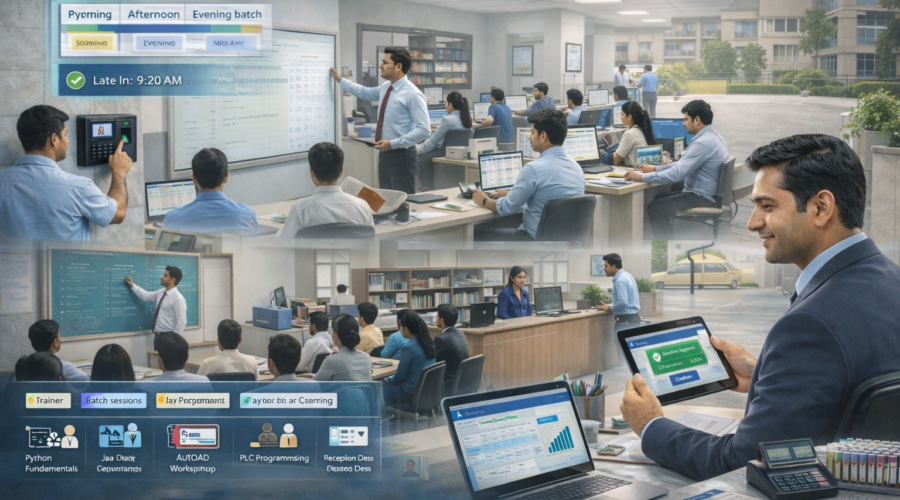
Training Institutes – Staff Attendance + Multi-Shift + Trainer Batch/Session Mapping + Late/Early Rules + OT Approval + Lab/Workshop Role Tracking + Placement/Reception Desk Coverage + Payroll Export Automation | Modi Group ✅
Training institute me attendance sirf HR nahi — batch punctuality, trainer allocation, lab/workshop access, demo sessions, placement desk availability, weekend classes sab attendance + mapping se control hota hai. Agar multi-shift + late rules + OT approvals + lab/desk mapping strong nahi hoga toh batch delays, student dissatisfaction, placement follow-up miss aur payroll disputes create hote hain.
1) Requirements — Training Institute Setup
A) Staff Roles (Training + Ops + Placement)
- Trainers (trade/subject-wise batch mapping)
- Batch Coordinator (timetable + substitutions)
- Lab/Workshop Incharge (equipment + access discipline)
- Reception (inquiry desk + walk-in handling)
- Counsellor (admissions conversion)
- Placement Executive (calls + drive coordination)
- Admin/Accounts (fees + payroll)
- IT Support (systems + lab setup)
- Security (evening crowd + entry control)
- Housekeeping (classroom readiness)
B) Shift Inputs (Batch + Lab Practical)
- Morning Batches
- Afternoon Batches (optional)
- Evening Batches (peak)
- Weekend Workshops (extra sessions)
- Placement Drive Days (special duty)
C) Policies (Punctuality + Access + Output)
- Grace time (example: 10 min)
- Late/Early rules (batch timing strict)
- OT slab (30 min rounding for workshops/drives)
- OT approval (Center Head → Owner/Admin)
- Lab/Workshop access mapping (authorized roles only)
- Reception/Placement desk coverage rule (peak hours mandatory)
D) Device + Network Requirements
- Face Attendance / Biometric (fast + anti-proxy)
- LAN/WiFi internet (cloud dashboard)
- UPS backup (sessions continuity)
- Admin PC/Laptop (reports + payroll export)
2) Use Cases (Training Institute Real Scenarios)
1) Trainer Batch/Session Mapping
Kis trainer ka kaunsa batch + session timing – punctuality + planning easy.
2) Lab/Workshop Role Tracking
Equipment safety ke liye lab incharge duty proof always ready.
3) Placement Desk Coverage
Student calls + recruiter follow-up me placement desk availability track hoti hai.
4) Weekend Workshop OT Control
Weekend sessions me payroll me approved OT only count ho.
5) Multi-Branch Visibility
Owner dashboard: branch-wise late/absent/OT + trainer coverage.
3) Common Problems (Training Institutes)
- Trainer late → session delay
- Lab/Workshop access confusion → equipment risk
- Placement follow-ups miss → outcome drop
- Weekend OT disputes → payroll friction
- Substitution confusion → batch cancellation risk
- Payroll mismatch → disputes
4) Institute Workflow Mapping
Before Sessions
- Trainer punch-in mandatory
- Lab/workshop readiness check
- Reception desk open before inquiry rush
During Operations
- Batch-wise trainer mapping active
- Lab incharge presence monitored
- Placement desk coverage maintained
After Sessions
- Punch-out discipline
- OT auto calculation + approval
- Daily summary report (optional)
5) Software Features (Must-Have)
- Role-based attendance (trainer/lab/reception/placement/admin/security)
- Multi-shift roster (morning/evening/weekend)
- Late/Early rules with grace
- OT approval workflow
- Batch/session mapping notes (trainer schedule)
- Mobile dashboard for owner/center head
- Payroll export Excel/CSV
- Audit log (approvals + edits)
Optional Add-ons
- Daily auto report (WhatsApp/Email)
- Integration with CCTV/Access Control (if required)
6) Shift + OT Policy (Recommended)
| Item | Recommended | Why it matters |
|---|---|---|
| Grace | 10 min | Practical tolerance |
| Late Rule | After grace → penalty/slab | Session punctuality |
| Half Day | < 50% shift | Fair rule |
| OT Slab | 30 min rounding | Standard OT |
| OT Approval | Center Head → Owner/Admin | Disputes reduce |
| Workshop OT | Pre-approved roster | Weekend smooth |
7) Recommendations (Owner Control Tips)
- Trainer punctuality strict rakho (batch discipline)
- Lab access mapping authorized roles me lock karo
- Placement desk coverage peak hours me compulsory rakho
- Weekend roster pre-decide karo
- Daily late/absent report owner ko auto bhejo
8) Example Setup (Sample Training Institute)
- Institute timing: 8:30 AM – 9:00 PM
- Shifts: Morning (8:20), Day (10:00), Evening (3:30–9:00)
- Weekend: Workshop (10:00–6:00)
- Grace: 10 min
- OT slab: 30 min
- Approval: Center Head → Owner
- Payroll: Monthly Excel export + audit
Role Mapping Example
| Role | Shift | Mapping |
|---|---|---|
| Trainer | Evening | Batch A (Computer) |
| Lab Incharge | Evening | Lab 1 |
| Reception | Evening | Inquiry Desk |
| Placement Executive | Day | Placement Desk |
| Security | Evening | Entry Control |
9) Reports (Owner-Friendly)
- Daily attendance (present/absent/late)
- Role-wise presence (trainer/lab/reception/placement)
- Shift-wise summary (morning/evening/weekend)
- OT requested vs approved
- Monthly payroll export (Excel/CSV)
10) Implementation (Modi Group Process)
- Requirement discussion (roles, shifts, batches, lab mapping, OT)
- Site visit (device placement + network)
- Device install (Face/Bio) + testing
- Policy setup (late/OT/approvals)
- Batch + lab/desk mapping
- Training (center head + admin)
- Test payroll export
- Go-live + support
11) FAQs
Q1) Weekend training supported?
Yes, multi-shift roster supported.
Q2) Lab/workshop mapping possible?
Yes, role-based mapping supported.
Q3) OT approval?
Approved OT only payroll me count hota hai.
Q4) Payroll export?
Excel/CSV export ready milta hai.
12) Contact / Demo – Ahmedabad
Share for exact quote: staff count, batches/timings, shifts, lab/workshop requirement, OT policy, branches.
📞 9664988206 / 7405851025
📧 modigroupahm@gmail.com
Quick Quote
- Staff count
- Shifts + batches/timings
- Lab/workshop mapping
- OT policy (approval?)